
Your scan, explained
See what the mirror and the scale can't show you.
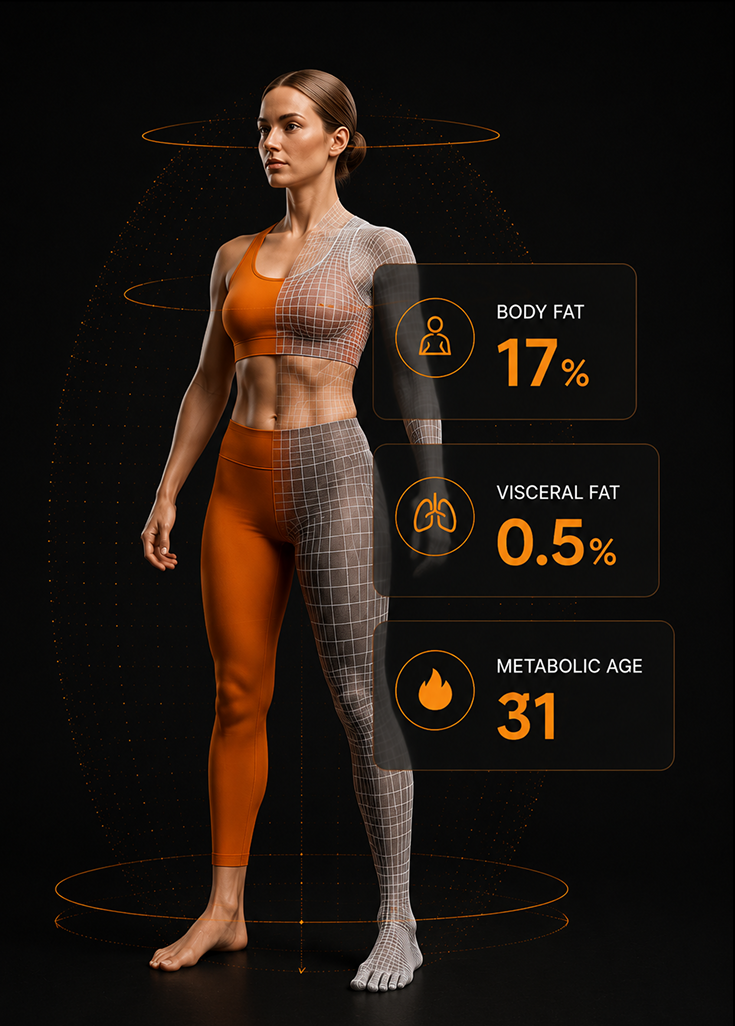
A simple 10-second scan and you get a full color 3D scan, body composition, body measurements, posture, and other wellness metrics
no radiation, no diet restrictions, no invasiveness. and about three minutes start to finish.
A 60-second primer
What a Fit3D scan actually is.
Capture your first scan to establish a baseline. Then re-scan every 30-90 days to track your progress. All available in your personal Fit3D Dashboard.

A full-color 3D model of your body, not just a number

Real measurements, body composition, posture, and metabolic age

No radiation, no diet restrictions, no invasiveness

Repeatable, so you can track real change over time
Before your scan
How to prep.
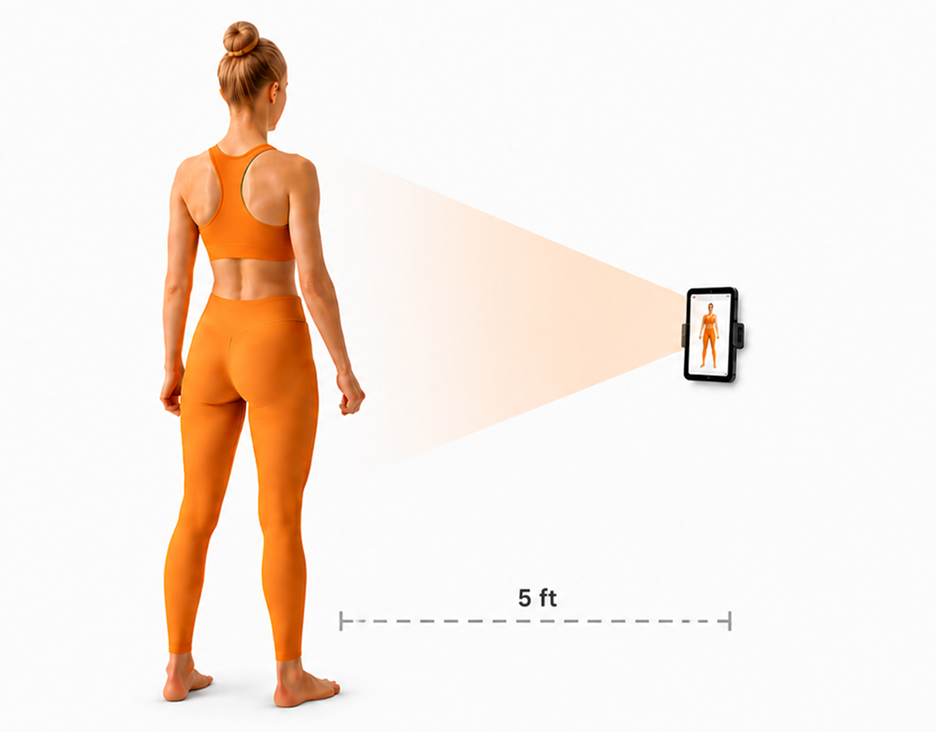
- Wear form-fitting workout clothing for the most accurate read
- Tie long hair up and off your shoulders
- Follow the prompts on the SNAP Application
- Make sure to keep your head square with your shoulders as you spin.
If you wear looser clothes - Your measurements will be big and based on the surface of your clothes. We'd recommend clothing that hugs your body's form.
03 — The 3-minute version
Your scan, start to finish.
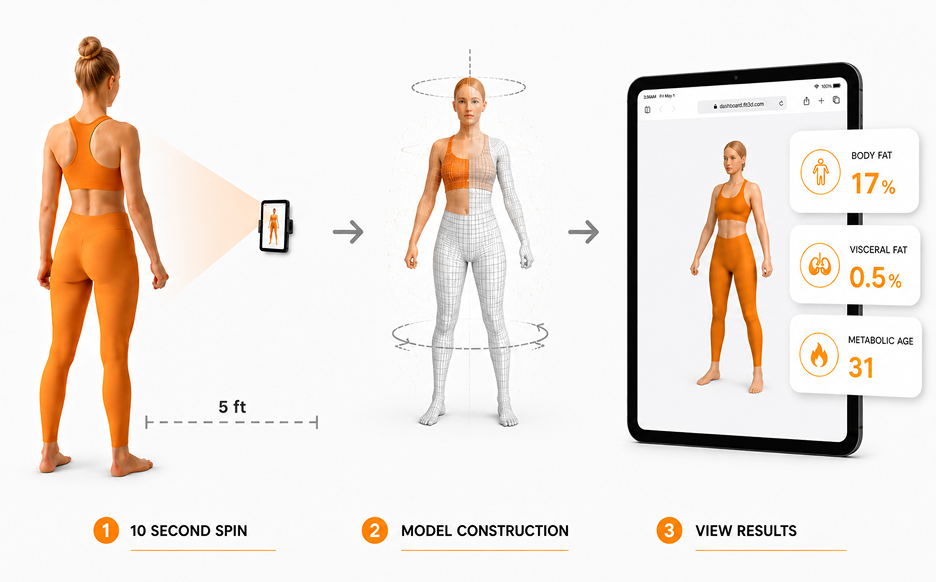
The whole visit takes about three minutes. First you create your account on the tablet, which takes under a minute. Then you stand about five feet back, and the scan begins. One slow, easy turn — roughly 10 seconds — while the app talks you through it. A minute or two later, your report is ready.
01
Create your Fit3D account
Enter a few details on the tablet — email and password. About 45 seconds.
02
Do the 10-second spin
Follow the prompts in the SNAP application. Stand about five feet from the tablet and turn slowly when prompted.
03
Review your report
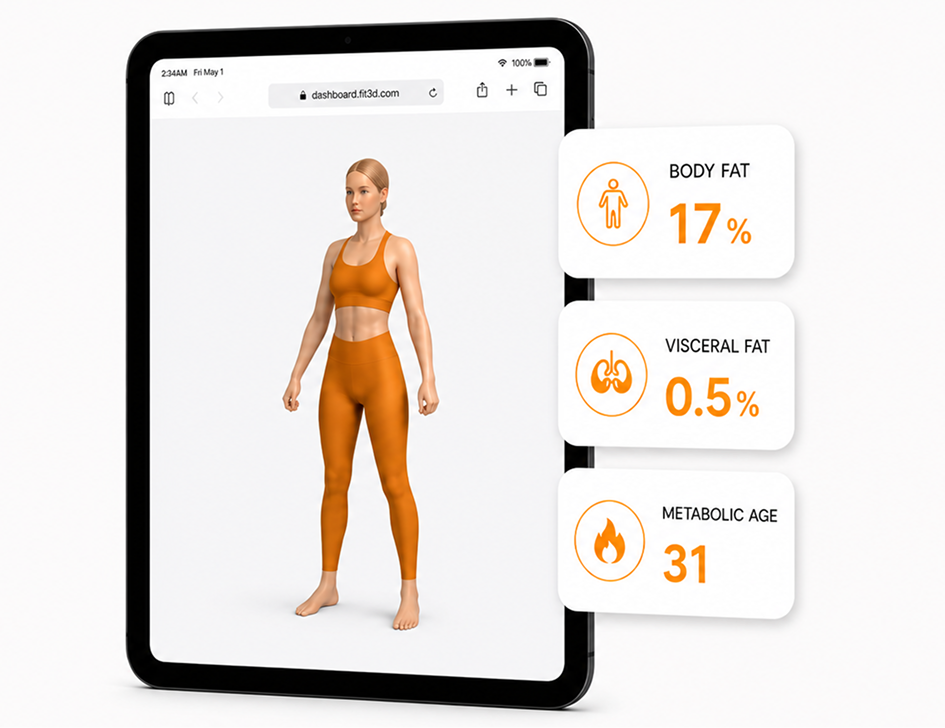
Your scan takes 1–4 minutes to process. Then log in at dashboard.fit3d.com to review your results.
03 — The 3-minute version
Where to find your results.
- We email you automatically after your scan
- Everything else lives in your private portal, on any device
- Your full-color 3D avatar is yours, and only yours
- Set goals and track them scan to scan
Retention
Why your next scan matters most.
- Your first scan sets your baseline
- Your next scan shows what actually changed, side by side
- About once every 30–90 days is the sweet spot
- Progress you can see is progress you stick with
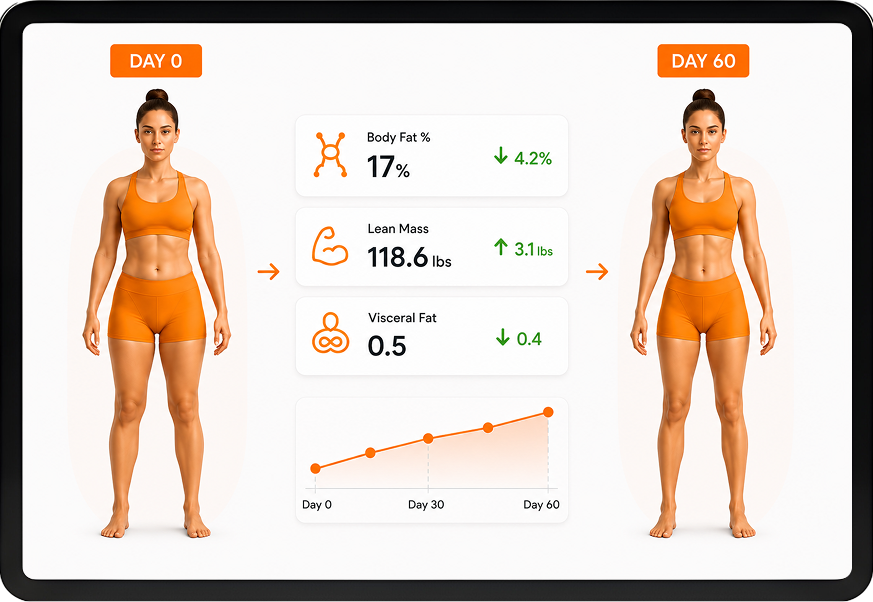
Reading your results
Each number, in plain language.
Your report has a few numbers on it, and each one means something simple. Anything you do not recognize has a built-in glossary right in your portal.
Glossary built in. Every term on your report links to a plain- language definition inside your portal.

Body fat percentage
The share of your weight that is fat.

Visceral fat
Fat stored deeper around your organs — worth keeping an eye on.

Lean mass
Everything that is not fat, mostly muscle. Holding or growing this is usually the goal.

Metabolic age
How your composition compares to typical ages. Lower than your real age is a good sign.

Body Shape Rating
A score from 0 to 100 — a higher number points to lower risk.

Posture
How you stand — slight shifts and tilts at your head, shoulders, and hips.
This is why the scale can feel so misleading — it gives one number but cannot tell muscle gained from fat lost. Your scan shows where your body actually changed.
Privacy
Your privacy, your call.
Your scan is yours to share or keep private — you decide after your first one. Staff only ever see a silhouette version unless you grant more. We delete the raw video after about two weeks. One heads-up: every avatar comes out bald, so do not be surprised. It is completely normal.


Common questions
Form-fitting workout clothing gives the most accurate read. Fitted shorts and a sports bra or a snug top are ideal. You stay dressed the whole time and there is no gown.
About three minutes from start to finish. The scan itself is one slow 10-second turn.
Yes. The measurements are taken by computer the same way every time, which makes them consistent and reliable for tracking change.
None. A Fit3D scan uses a regular camera, so there are no X-rays, no needles, and nothing invasive.
Only you, until you choose to share more. Staff see a grayscale version unless you grant full access, and your data is never sold.
About once a quarter for most people. That is often enough to see real progress without obsessing over small changes.
It is a way to measure what your body is made of, fat, muscle, and more, instead of just your total weight. A Fit3D scan does this from a quick 3D photo, with no needles or radiation.
You view your results in your own private online portal, which opens in any browser on your phone, tablet, or laptop. There is no separate app to download and nothing to sync. Since most people scan about once a quarter, your results are simply there waiting whenever you log in.
Got a scan coming up? You're ready.
Show up, do your slow 10-second turn, and meet the version of your progress the mirror and the scale keep hiding. Your portal is one login away.